
14 Best Gemini AI Photo Prompts for Girls and Boys in 2026
Scroll far enough through any Indian feed in 2026 and the same shot keeps reappearing in variations: a familiar face, unmistakably real, sta...
A plain-language guide to writing prompts that turn vague answers into precise, reliable output.

Prompt engineering is the practice of writing clear instructions that guide an AI model toward the result you actually want.
A prompt is simply the text you send to a model. The model reads that text and predicts a response one word at a time, based on patterns it learned during training. Your prompt is the only steering wheel you have.
So the quality of the input shapes the quality of the output. Change the words, and you change the answer. Prompt engineering is the skill of choosing those words on purpose rather than by accident.
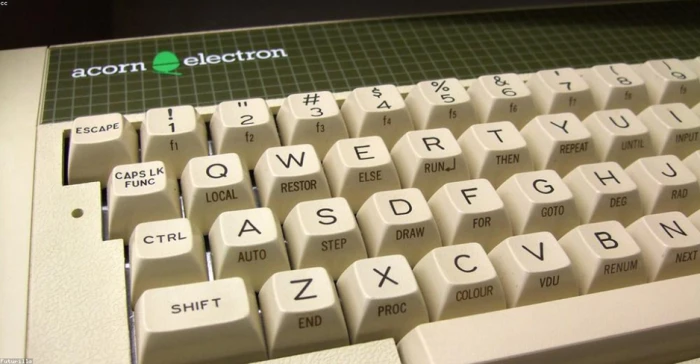
A prompt is text you type. Everything the model produces flows from how clearly you write it.
For an official grounding in the topic, the Anthropic prompt engineering overview and the community-run Prompt Engineering Guide both explain the fundamentals in depth.
It also helps to see where prompt engineering sits next to everyday prompt writing. PromptSeen draws that line cleanly in Prompt Engineering vs Prompt Writing: writing is one clear request, while engineering is a tested system. We come back to that split near the end of this guide.
Models do not read your mind. They read your words and match them against patterns. A vague request produces a generic answer because the model has to guess what you meant.
Prompt engineering is the practice of structuring requests to AI models to get better, more consistent outputs by using frameworks, formatting, examples, and constraints.
The payoff is large. A specific prompt with a role, context, and a format spec often replaces three or four rounds of back and forth. You spend a little more effort writing, and save a lot of effort correcting.

The model responds to patterns in your text, not to your intentions. Clear instructions reduce guessing.
The core idea. Better inputs give better outputs. Almost every technique in this guide is a way of making your intent more explicit so the model has less to guess.
Most strong prompts are built from the same parts. You will not always need every part, but knowing them gives you a checklist to work from.
| Component | What it does | Quick example |
|---|---|---|
| Role | Tells the model whose perspective to take, which sets vocabulary and depth. | You are a senior tax accountant. |
| Task | States the single job you want done, in plain and direct language. | Summarize this contract clause. |
| Context | Gives background the model cannot know, such as audience or purpose. | The reader is a first-time home buyer. |
| Constraints | Sets the limits: length, what to include, and what to leave out. | Keep it under 120 words. No jargon. |
| Examples | Shows a sample of the output you expect so the model can copy the pattern. | Here is one good answer to follow. |
| Output format | Defines the shape of the answer, such as a table, list, or JSON. | Return a two column table. |
| Tone | Sets the voice, from formal and technical to warm and casual. | Write it in a friendly, plain voice. |

Treat these seven parts as a planning sheet. Assemble the ones your task actually needs.
Use this sequence any time an answer comes back weak. Each step adds one layer of clarity, and the order matters because later steps build on earlier ones.
1. State the goal in one sentence
Before adding detail, write the single outcome you want. If you cannot say it in one clear sentence, the model cannot deliver it either. This sentence becomes the spine of the whole prompt.
Goal: Draft a 5 point onboarding email for new users.
2. Give the model a role and context
Assign a role so the model picks the right expertise and vocabulary. Then add the context it cannot guess, such as the audience, the product, or the situation. Context is where most generic answers get rescued.
Role: You are a product onboarding specialist writing to non-technical users.
3. Break the task into clear instructions
Split the work into ordered, specific instructions instead of one broad ask. Number them if order matters. Small, explicit steps leave far less room for the model to wander off.
1) Welcome the user. 2) Explain the first action. 3) Link to help.
4. Show an example of the output you want
Paste one short sample of a good answer. The model is very good at copying a demonstrated pattern, so a single example often does more than a paragraph of description. This is the fastest way to fix format and tone.
Example subject line: Welcome aboard, here is step one.
5. Set the format and constraints, then refine
State the exact shape and limits of the answer, such as word count, structure, and anything to avoid. Run the prompt, read the result, then change one thing at a time. Prompting is iterative, and the second version is almost always better than the first.
Format: subject line plus 5 short bullets. Limit: 120 words total.

Each step narrows the model's options. By step five, there is little left to guess.
Refine one variable at a time. If you rewrite everything at once, you will not know which change improved the answer. Adjust a single element, then compare.
These are the patterns you will reach for most often. Each is a different way of giving the model more to work with.
Zero-shot prompting
no examples given
You ask for the task directly, with no sample answers. It is fast and works well for common, well-understood requests.
Best for simple tasks where the model already knows the pattern, such as a quick summary or a definition.
Few-shot prompting
2 to 5 examples given
You include a handful of input and output pairs so the model can copy the exact format and style you want.
Best for tasks with a specific structure, such as classifying tickets or matching a house writing style.
Chain-of-thought prompting
step-by-step reasoning
You ask the model to work through the problem in steps before giving a final answer. Showing the reasoning improves accuracy on multi-step problems.
Best for math, logic, and any task where a wrong intermediate step ruins the result.
Role prompting
assign a persona
You tell the model who it is, which shifts its vocabulary, depth, and assumptions toward that expertise.
Best for steering tone and expertise, such as a lawyer, a teacher, or a copy editor.
Iterative refinement
test and adjust
You treat the first answer as a draft, then tighten the prompt based on what came back. This is less a single trick and more the habit that ties the others together.
Best for anything that matters, since the best prompt is rarely the first one you write.

Techniques stack. You can give a role, add a few examples, and ask for step-by-step reasoning in the same prompt.
The three techniques people compare most are zero-shot, few-shot, and chain-of-thought. Here is how they differ across the factors that decide which to use.
| Factor | Zero-shot | Few-shot | Chain-of-thought |
|---|---|---|---|
| Examples needed | None | Two to five | Optional, plus a reasoning cue |
| Prompt length | Shortest | Medium to long | Medium |
| Best task type | Simple, familiar | Format-specific | Multi-step reasoning |
| Accuracy on hard tasks | Lower | Higher | Highest |
| Setup effort | Very low | Moderate | Low to moderate |
| Token cost | Low | Higher | Higher |
| Main risk | Generic answers | Copying a bad example | Longer, slower replies |
| Reach for it when | The task is routine | Format must be exact | The logic is what matters |
You can write great prompts in any chat box. These tools help you build, test, and improve them faster, especially once you move past one-off requests.
Anthropic Console prompt tools
build and improve prompts
Anthropic's developer console includes a prompt generator that drafts a structured prompt from a plain description, plus an improver that rewrites weak prompts. It is a fast way to learn good structure by seeing it applied to your own task.
Best for turning a rough idea into a well-organized prompt and studying why it works. See the Claude prompt engineering docs.
OpenAI Playground
experiment with settings
A web workspace where you can test prompts, switch models, and adjust settings like temperature to see how they change the output. Because you can tweak one control at a time, it is ideal for understanding cause and effect.
Best for side-by-side testing and tuning before you commit a prompt to production.
The Prompt Engineering Guide (DAIR.AI)
learn the techniques
A free, community-run reference that covers theory and technique with worked examples. It is less a tool you run and more a manual you keep open while you practice.
Best for a structured path from basics to advanced methods.
Anthropic interactive tutorial
practice with exercises
A free, hands-on course that teaches prompt structure, clarity, roles, examples, and how to fix common failure modes through nine chapters of exercises. You learn by doing rather than only reading.
Best for beginners who want guided practice with feedback. Find it on GitHub.

Playgrounds and consoles let you change one setting at a time and watch the output shift.
The gap between a weak and a strong prompt is rarely about clever wording. It is about how much you left the model to guess. This table lays out the differences that matter.
| Attribute | Weak prompt | Strong prompt |
|---|---|---|
| Goal | Vague or unstated | One clear outcome |
| Role | None given | Specific expert persona |
| Context | Missing | Audience and purpose supplied |
| Instructions | One broad sentence | Ordered, specific steps |
| Examples | Never included | One or more shown |
| Output format | Left to chance | Defined precisely |
| Constraints | No limits set | Length and scope fixed |
| Tone | Default voice | Chosen on purpose |
| Typical result | Generic and off target | Specific and usable |
| Revisions needed | Many rounds | Few or none |
| Consistency | Different every run | Repeatable |
| Time to a good answer | Slow | Fast |
Read it as a checklist. Every row a weak prompt fails is a specific place you can add clarity. Fix the rows, and the output follows.
Meet Priya. She runs marketing for a small brand and needs a product description for a new stainless steel water bottle. Here is her first attempt.
WEAK PROMPT
Write a description for my water bottle.
The model returns three generic sentences that could describe any bottle on any store. Nothing is wrong with the grammar, but the copy is useless because the prompt gave the model nothing to work with.
What was missing
There is no role, no audience, no product detail, no tone, and no format. The model had to invent all of it. So it produced a safe, forgettable average.
Priya rewrites the prompt using the five steps from earlier. She adds a role, the audience, the real features, a tone, and a clear format.
STRONG PROMPT
You are a copywriter for an outdoor lifestyle brand.
Write a product description for a stainless steel water bottle.
Audience: hikers and commuters aged 25 to 40 who care about durability.
Key features to include:
1) Keeps drinks cold for 24 hours
2) Fits standard cup holders
3) Made from recycled steel
Tone: energetic and plain, no cliches.
Format: one 40 word paragraph, then three short benefit lines.
Why the second version works
The role sets the voice. The audience tells the model who to persuade. The listed features give it real material instead of guesswork. The tone and format fix the shape of the answer before it is written.
Here is the kind of output the strong prompt produces.
SAMPLE RESULT
Built for the trail and the train, this recycled steel bottle keeps your water
cold for a full 24 hours and slips into any standard cup holder. Made to be
dropped, dented, and used every single day.
Cold for 24 hours, from sunrise summit to evening commute.
Fits the cup holder you already have.
Recycled steel that takes a beating.

Same model, same product. The only variable that changed was the quality of the instructions.
The lesson. Priya did not switch to a smarter model. She gave the model more to work with, and the output improved in a single pass.
Most weak prompts fail for a handful of repeat reasons. Watch for these.

Each mistake maps to a fix. Vague becomes specific, missing format becomes a defined shape.
Everything so far is about writing one strong prompt for one task. There is a related discipline that begins where that leaves off. When a prompt has to run on its own, thousands of times, on inputs you will never read, writing turns into engineering.
The difference is not the vocabulary, it is the rigor. Prompt writing ends when the reply looks right. Prompt engineering ends when a test set says it is right, run after run. PromptSeen lays out the full split in Prompt Engineering vs Prompt Writing.
Signs you have crossed the line. PromptSeen points to three signals that a task needs engineering, not just writing: the prompt runs unattended, the inputs come from people who never see the prompt, and a wrong output costs money or trust. If none of those are true, a well-written prompt is the whole job.
Once a prompt does need that rigor, the workflow shifts from asking to building. These six steps describe that lifecycle, and each one exists to make the output measurable rather than a matter of opinion.
1. Define the inputs and outputs
Decide exactly what goes into the prompt and what must come out, including the shape of the result. This contract is what lets you score answers later, so vague goals here undo every step that follows.
In: raw review text. Out: strict JSON with three themes.
2. Build the prompt template
Turn the prompt into a reusable template with fixed instructions, variables for the changing parts, examples, and an output schema. The wording stays constant while the input slots in, which is what makes results comparable across runs.
Fixed rules plus a {{reviews}} variable and a JSON schema.
3. Collect a test set
Gather real inputs paired with the answers you agree are correct, and include the ugly edge cases, not just the clean ones. This set becomes the yardstick that every version of the prompt is measured against.
200 real batches, each with an agreed correct answer.
4. Run evaluations
Score every output against the test set automatically instead of eyeballing a handful. A pass rate replaces a gut feeling, so you can say the prompt is right nine times out of ten rather than hoping it is.
Target: theme match above 90 percent, valid JSON 100 percent.
5. Ship a version
Tag and log the prompt as a numbered version so you know exactly what is running in production. If quality slips later, you have a known-good baseline to compare against and roll back to.
Release as v1.3 with its eval scores recorded.
6. Monitor and iterate
Watch real usage, feed new failures back into the test set, and re-run the evals on a schedule. Models change over time, so a prompt that passed last month can quietly drop, and only fresh scoring will catch it.
Each real-world failure becomes a new test case.
Do not over-engineer a one-off. Building a test set for an email you will send once is wasted effort. Match the rigor to the stakes, and stay in plain prompt writing until the three signals above appear.
Run any important prompt through this list before you send it. If every box is ticked, you are giving the model everything it needs.
You are ready to test and refine one change at a time.

Better instructions are a habit, not a talent. This list turns the habit into a routine.
Better instructions, not smarter models, are usually what separate a weak answer from a strong one. State the goal, add a role and context, show an example, set the format, then refine one change at a time.
Keep it simple while the task runs once and only you read the reply. The moment a prompt has to run unattended, at scale, where a wrong answer costs money or trust, add a test set and version it. That is where writing becomes engineering.
Scroll far enough through any Indian feed in 2026 and the same shot keeps reappearing in variations: a familiar face, unmistakably real, sta...

What makes an AI image cinematicA cinematic image is a still that reads as one frame from a larger story. Something is happening, the light...

How to use these promptsEach prompt works the same way. You upload a photo, paste the prompt, and the model rebuilds the outfit, location an...
Discussion
Join the discussion and share your thoughts below.
No comments yet. Be the first to share your thoughts!