
How to Keep Your Face the Same in AI-Generated Photos
Consistency is measurement: lock the features that make a face recognizable, then change everything else.Why the face keeps driftingGenerati...
A longer prompt is not a better prompt. What helps most is order. The AI needs to see what you want, what to work with, and how the answer should look.

The 30 second version• A prompt is the message you type into an AI tool. Longer does not mean better. • AI tools do their best work when each part of the prompt has a clear label: the task, the background, the rules, and the format you want. • A short, organized prompt usually beats a long, messy one. • Below you will find six simple steps and a checklist you can use today. |
Look at the drawing at the top of this document. It is a real blueprint from around 1902. Almost every part has a label: slate roof, copper ridge, third floor, brick panel. The builders did not need a longer description of the building. They needed to know which line was the roof.
Prompts work the same way. When an AI tool gives a bad answer, most people fix it by typing more. This guide shows a better fix: organize what you already wrote.

A weak prompt gives you two roads. One is to add more words. The other is to put your words in order. This guide takes the second road.
When a prompt fails, we add. One more sentence of background. One more warning in capital letters. One more paragraph to explain what we really meant. Sometimes the answer gets better, so we decide that length was the fix.
It usually was not. What helped was one missing fact, such as who the reader is or what format you need. The rest was padding, and padding causes three problems.
1. Key instructions get buried. A study called Lost in the Middle tested this. AI models used facts best when the facts sat at the start or the end of a long prompt. They did worse when the same facts sat in the middle. Newer AI tools handle long prompts better, but the lesson still holds. A rule hidden in the middle of a long paragraph is easy to miss.
2. Instructions start to clash. Patch a prompt enough times and it will say "keep it short" in one place and "cover everything" in another. The AI has to guess which one you meant, and it will not tell you that it guessed.
3. You cannot find the mistake. When one giant paragraph gives a bad answer, you cannot tell which sentence caused it. All you can do is add another sentence.
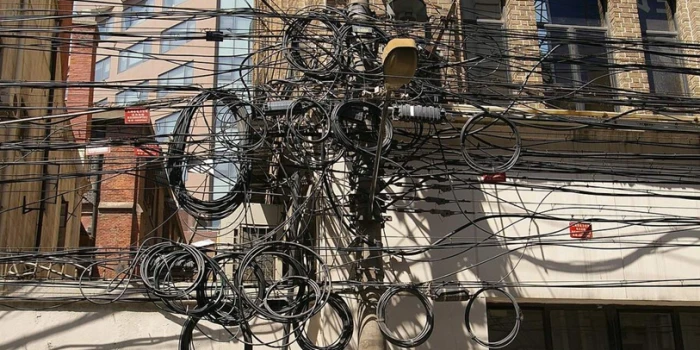
Every wire here does a job. Now try to find the one you need. A long prompt with no order gives an AI tool the same problem.
In short: more words give your main point more places to hide.
An AI tool reads your prompt as one long stream of text. It cannot stop and ask, "Is this line an order, or is it part of the email you pasted?"
Structure answers that question. It simply means splitting your prompt into clear parts and giving each part a label. That does four useful things.
Say you paste a customer email into your prompt, and the email says "please reply within the hour". The AI may treat that line as an order from you. Put the email under a clear label, such as "Customer email", and the confusion goes away. The AI now knows this is text to work on, not text to obey.
Put the task in one sentence at the top. Put all your rules in one list. Now the AI can see what is important. In a big paragraph every sentence looks the same, so nothing stands out.
If you say exactly how the answer should look, you get something you can use right away. If you do not, you get bullet points one day and a long essay the next.
When each part has a label, you can change one part and leave the rest alone. You can also save the prompt as a template, or hand it to a coworker who will understand it in seconds.

A library card catalog can hold a million cards, and you can still find one in a minute. The labeled drawers do that work, not the number of cards.
In short: labels tell the AI what each part of your prompt is for.
Most good prompts are made from the same six blocks. You will not need all six every time. But every sentence you write should fit into one of them.
| Block | The question it answers | Example |
|---|---|---|
| Role | Who should the AI act as, and who is the reader? | You are reviewing a contract for a first time business owner. |
| Task | What is the one thing you want done? | List the parts of this contract that could cost me money. |
| Material | What should the AI work with? | The contract text, pasted under its own label. |
| Rules | What must it do, and what must it avoid? | Quote the clause numbers. Do not give legal advice. |
| Examples | What does a good answer look like? | One or two sample entries in the style you want. |
| Format | How should the answer look? | A table with three columns: clause, risk, and what it means in plain English. |
In the customer example above, the email and the facts are both material. A quick question only needs a task. The more the answer matters, the more blocks you fill in.
Universities teach the same habits. Stanford's GenAI prompt guide tells readers to state the output they want and to make the role, tone, and audience clear.
Any clear label works. You can write a word in brackets like [Rules], use a heading, or wrap text in tags such as <email> at the start and </email> at the end. Tags are handy for long pasted text because they show where it starts and where it stops.
The style matters less than being consistent. Pick one style and use the same names every time.
In short: six blocks cover almost everything: role, task, material, rules, examples, format.
Use these steps for any prompt that matters, or any time a first try gives a poor answer. It takes about ten minutes the first time. After that it takes two.
The workflow at a glance
| 1 → | 2 → | 3 → | 4 → | 5 → | 6 |
Say what you want A one sentence goal | Gather the facts A rough list | Sort into blocks Labeled parts | Put them in order Task and format last | Describe the answer Format and length | Test and fix One block at a time |
Before you open the AI tool, finish this sentence: "When this works, I will have what, and I will use it for what."
When this works, I will have a short reply to Priya that I can paste into our help desk without editing.
If you cannot finish that sentence, the AI cannot either. No amount of extra text will fix an unclear goal.
You now have: a one sentence goal. This becomes your Task block.
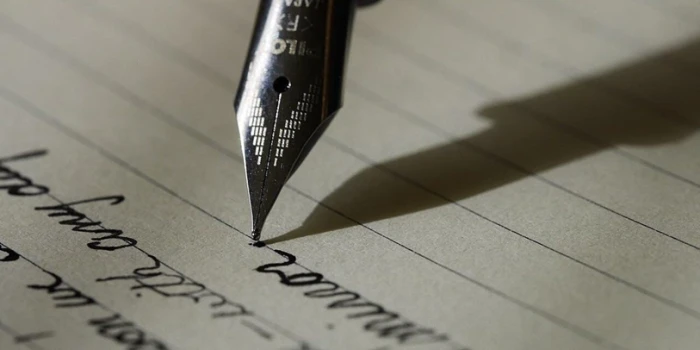
Step 1 happens before you touch the keyboard. One clear sentence on paper saves many rewrites later.
Write down what only you know. Who is the reader? What are the numbers? What tone do you want? What is off limits?
Here is a simple test. Imagine giving this job to a smart new coworker on their first day. Anything they would need to ask you belongs on your list. MIT Sloan's guide to effective prompts makes the same point: give the AI context, and be specific.
Do not tidy the list yet. Just get it all down.
You now have: a rough list of everything that matters.
Now give every item on your list a home: role, task, material, rules, examples, or format. This step does most of the work, and two good things happen as you sort.
• Repeats and clashes show up, because they now sit side by side.
• Gaps show up, because a block you need is empty.
If an item fits nowhere, ask whether the AI needs it at all. Often it does not. Cut it, and your prompt gets shorter and better at once.
You now have: labeled blocks, with every fact in one place.

Sorting is the whole trick. A mail clerk does not need to read every letter. Each one goes into its own slot, and that is what makes it easy to find later..
This order works well for most prompts:
1. Role
2. Material, such as long text, documents, or data
3. Task and rules
4. Examples, if you have any
5. Format
Why this order? AI tools pay most attention to the start and the end of a prompt. When long material comes first, your task and format are the last things the AI reads before it answers.
For a short prompt, order matters much less. For a very long one, repeat your main instruction in one line at the very end.
You now have: a full draft in a sensible order.
Tell the AI three things: the format, the length, and what to leave out. Vague requests get vague answers. Compare these two:
Weak
Summarize the report and keep it brief.
Strong
Give me five bullet points, each under 20 words.
Start with the biggest money risk.
No introduction and no closing remarks.
If a person will read the answer, say who. "For a busy finance manager" shapes the answer better than any adjective. If the answer will go into a spreadsheet or another program, show a small sample of the exact layout you need.
You now have: a prompt whose answer you can use without fixing it up.

No recipe says "add some flour". Give the AI a measure too: a format, a word limit, and what to leave out.
Try the prompt two or three times with real examples. Include a tricky one. If the answer misses, do not add a new sentence at the bottom. Find the block that caused the problem, fix only that block, and try again. This way you learn what each change did.
| The problem | Block to check | How to fix it |
|---|---|---|
| The tone is wrong | Role | Describe the reader and the voice in one plain sentence. |
| Facts are missing or made up | Material | Paste the source text under a label. Tell the AI to use only that text. |
| A rule was ignored | Rules | Move it into the rules list. Make it specific. Check that no other line says the opposite. |
| The layout changes every time | Format | State the format and the length. Show a short sample. |
| It answered the wrong question | Task | Rewrite the task as one sentence with one main verb. |
You now have: a tested prompt you can save and reuse.
Length is not the enemy. Missing facts cause more trouble than extra ones, and some prompts need to be long.
• The job needs a long document. To review a contract, the AI needs the contract.
• You are teaching by example. Three good examples can take 400 words and be worth every one.
• You have many real rules. Legal wording, brand terms, and special cases all need to be written out.
In each case the prompt is long because the content is needed, and that content is still organized. A long prompt with clear blocks beats a short messy one. It beats a long messy one by a wide margin.
The rule is simple: add facts, not words. If a sentence does not fit in any block, it does not belong in the prompt.
In short: long is fine. Messy is the problem.
| 1 | Mixing your notes into pasted text | Your instructions end up inside the document you pasted. Keep your words and the source text in separate blocks. |
| 2 | Spreading the rules around | One rule at the top, two in the middle, one at the end. Put them all in one list. |
| 3 | Shouting instead of organizing | Capital letters, rows of stars, and "IMPORTANT" on every line. If everything is urgent, nothing is. |
| 4 | Not saying how the answer should look | No length, no layout, no reader. You will spend more time fixing the answer than you saved. |
| 5 | Patching again and again | Adding one more sentence after every bad answer. After the third patch, stop and go back to step 3. |
Pilots with thousands of hours in the air still run a checklist before every flight. It takes a minute and it catches the easy mistakes. Use this one for any prompt that matters, and tick the boxes as you go.
| Can I say what I want in one sentence? |
| Is the task written once, clearly, in its own block? |
| Is all pasted text under a clear label? |
| Are all my rules in one list, with no clashes? |
| Did I state the format, the length, and what to leave out? |
| If the prompt is long, did I repeat the main instruction at the end? |
| Could a new coworker follow this without asking me anything? |
Structure beats length. A prompt works when the AI can tell what you want, what to work with, and how the answer should look. Labels and order do that job. Extra words do not. • Use six blocks: role, task, material, rules, examples, format. • Follow six steps: say what you want, gather the facts, sort, order, describe the answer, test. • Fix, do not pad: when a prompt fails, repair the block that caused it. Do not add another paragraph. |
Next time an answer lets you down, leave the word count alone. Sort what you already wrote into labeled blocks and send it again. Remember the road sign near the start of this guide, and take the second road. Builders do not ask an architect for a longer drawing. They ask for a clearer one.
Consistency is measurement: lock the features that make a face recognizable, then change everything else.Why the face keeps driftingGenerati...

How to use these promptsEach prompt works the same way. You upload a photo, paste the prompt, and the model rebuilds the outfit, location an...
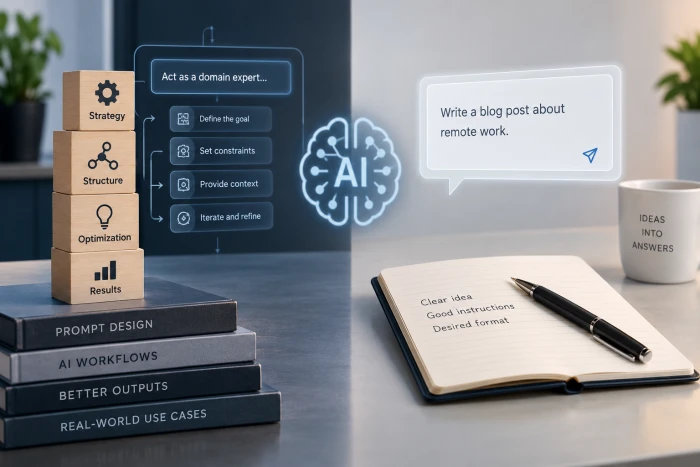
Prompt writingBrief the model like a colleague. Read the reply. Done.Prompt engineeringBuild the prompt like a function. Inputs, outputs, te...
Discussion
Join the discussion and share your thoughts below.
No comments yet. Be the first to share your thoughts!