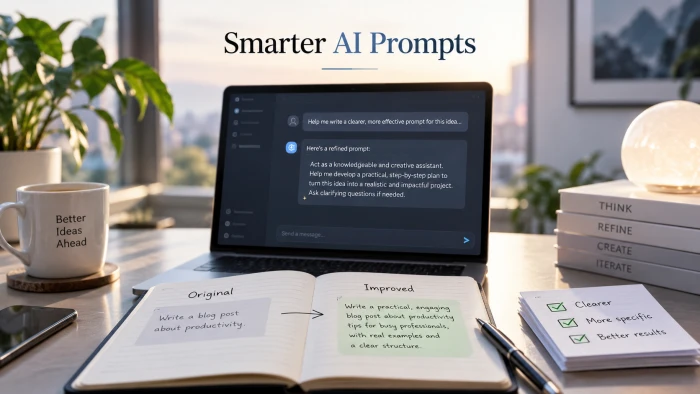
How to Make AI Prompts More Effective: 10 Proven Techniques
Diagnose the output firstPrompting advice usually starts with rules. It works better when it starts with the answer you just got. Read the o...
A complete guide plus a copy-ready template. Long articles fail for predictable reasons, and almost all of them are fixed before the model writes a word. Here is how to write the brief that produces a draft worth editing.
WHAT YOU GET 1. The seven building blocks every long-form prompt needs 2. A six step method with example lines to copy 3. A fill-in template for 1,500 to 4,000 word pieces 4. A worked case study and a quick fixes table |
"Write a 2,000 word article about remote onboarding" is the prompt most people write. What comes back is fluent, evenly paced, and useless. Every section is the same length, the intro restates the title, and the facts are plausible rather than true.
The model is not the problem. The brief is. A long article needs the same things a human writer would ask for before starting, and a one line prompt gives none of them.

The brief is where an article is won or lost, for a person or a model.
Three gaps cause almost every bad draft. There is no reader, so the model writes for everyone and reaches no one. There is no structure, so the model invents a generic one. There are no constraints, so the model fills space with the safest sentences it knows.
Close those three gaps and the draft changes character. The rest of this guide shows exactly what to put in their place.
A working long-form prompt has seven parts. They can be short, but none of them can be missing. Think of them as the sections of a creative brief.
| 1. Role and context | Who the model is writing as and for which publication. "You are a senior editor at a B2B payroll company writing for its blog" sets vocabulary and seriousness in one line. |
| 2. Reader and intent | One specific reader and the question they typed to arrive. The reader decides what to explain and what to skip. |
| 3. Angle and thesis | The one claim the article makes that a competing article does not. Without an angle, long-form becomes a summary of the top ten search results. |
| 4. Structure | The outline you want, with H2 and H3 headings and a rough word budget per section. This is the single biggest quality lever. |
| 5. Evidence rules | What the model may use as fact, what it must mark as uncertain, and what it must never invent. Paste your research in, and say that it is the only source. |
| 6. Style rules | Voice, sentence length, formatting, and a short list of banned phrases. Give a sample paragraph. Examples beat adjectives. |
| 7. Output spec | Length, format, what to deliver first (an outline, then the draft), and a self review step before the model returns anything. |
Work through these in order. Each step produces one or two lines of the final prompt, and the "write this" box shows what that line looks like.

Most of the work happens before the first sentence is drafted.
1 Define the job in one sentence Name the reader, what they are trying to do, and what they should be able to do after reading. If you cannot write this sentence, you are not ready to prompt. Write this: "The reader is a founder hiring their first employee in the UK who needs to run payroll correctly next month." | 2 Do the research first, then paste it in Collect the facts, figures, quotes and links you want used, and put them in the prompt inside a clearly labelled section. Tell the model this is the only factual source. This is how you stop invented statistics. Write this: "Use only the facts in RESEARCH below. If a claim is not supported there, write [needs source] instead of a number." |
3 Approve an outline before the draft Ask for the outline first, with headings and word budgets, and only then ask for the draft. Fixing a heading costs seconds. Fixing 2,000 words built on the wrong heading costs an afternoon. Write this: "First return only an outline with H2 and H3 headings and a word budget per section. Wait for my approval before drafting." | 4 Set the style with a sample, not adjectives "Engaging and professional" means nothing. Paste one paragraph you like and name three concrete rules: sentence length, person, and what to avoid. Readers scan long pages, so front load each section with its point. Write this: "Match the voice of the SAMPLE paragraph. Average sentence under 20 words. Second person. No rhetorical questions, no 'in today's fast paced world'." |
5 Add guardrails against filler Long drafts drift toward padding. Ban restating the heading in the first sentence, ban summary paragraphs inside sections, and cap the intro. Ask for one concrete example per section. Write this: "Intro under 120 words. Every H2 section opens with its main point and includes one concrete example. No closing summary inside sections." | 6 Ask for a self review and name the format Before returning the draft, have the model check its own work against your rules and list what it changed. Then specify the delivery format so you are not reformatting by hand. Write this: "Before returning, check the draft against every rule above and fix violations. Deliver in Markdown with H2 and H3 headings and a final list of [needs source] items." |
Copy the block below into any capable model. Replace every highlighted slot. Delete the lines you do not need, but keep the section labels, because they help the model find its instructions again in a long prompt.
A template is a blank page with the decisions already made.
Slots to fill are marked like [this]. Everything else can be used as written.
ROLE You are [a senior editor at a company or publication] writing for [publication name and its audience]. READER The reader is [one specific person, role and situation]. They searched for [the query or question]. After reading they should be able to [the concrete outcome]. ANGLE The article argues that [the one claim this piece makes that competitors do not]. Do not write a neutral overview. STRUCTURE Target length: [number] words. Use this outline and word budgets: H2: [Section title] ([words]) H3: [Subsection] H2: [Section title] ([words]) H2: [Section title] ([words]) Intro under 120 words. End with a short conclusion that gives one next action. EVIDENCE Use only the facts in RESEARCH. If a claim is not supported there, write [needs source] instead of inventing a number, name or date. Attribute every statistic to its source in plain text. RESEARCH [Paste facts, figures, quotes and links here, one per line] STYLE Match the voice of SAMPLE. [Second person / first person plural]. Average sentence under 20 words. Paragraphs of three sentences or fewer. Open every H2 section with its main point. One concrete example per section. Avoid: [list banned phrases]. SAMPLE [Paste one paragraph in the voice you want] PROCESS Step 1: return only the outline with headings and word budgets, then stop and wait for approval. Step 2: after approval, write the full draft. Step 3: before returning the draft, check it against every rule in STRUCTURE, EVIDENCE and STYLE, fix violations, and list any [needs source] items at the end. OUTPUT Markdown with H2 and H3 headings. No title case in headings. No preamble before the article. |
For pieces over 3,000 words: run the template once for the outline, then ask for the draft one H2 section at a time, pasting the approved outline each time. Quality stays flat across the whole piece instead of fading toward the end.
The same ten decisions, written the way most people write them and the way the template writes them. Use the middle column to audit a prompt you already have.
| Decision | Weak prompt | Strong prompt | What changes in the draft |
|---|---|---|---|
| Reader | "For small business owners" | "A founder hiring their first UK employee next month" | The draft explains what this person needs and skips what they know |
| Angle | "An informative article" | "Argue that most first payroll mistakes come from setup, not calculation" | Sections make a case instead of listing facts |
| Length | "About 2,000 words" | "2,000 words with 300 to 450 per H2, intro under 120" | Sections are sized by importance, not evenly |
| Structure | Left to the model | Approved outline with headings and budgets | No generic outline, no repeated ideas |
| Sources | Not mentioned | "Use only RESEARCH, mark gaps [needs source]" | No invented statistics or fake citations |
| Examples | Not mentioned | "One concrete example per section" | Abstract advice becomes usable |
| Voice | "Engaging and professional" | A pasted sample plus three measurable rules | Consistent tone that matches your site |
| Formatting | Not mentioned | "Markdown, H2 and H3, no preamble" | Paste ready output with no cleanup |
| Padding | Not mentioned | "No heading restated in the first sentence, no in-section summaries" | Roughly 20 percent more useful words at the same length |
| Review | None | "Check against all rules before returning, list changes" | Fewer editing passes on your side |
This is a worked example built with the template rather than a client engagement, so you can see each decision. The brief came from a fictional UK payroll software company that wanted a blog post for founders hiring their first employee.
THE BRIEF AS RECEIVED Write a 1,500 word blog post about setting up payroll for a small business. Make it SEO friendly and engaging. | THE PROMPT WE WROTE INSTEAD ROLE: senior editor at a UK payroll software company. READER: a founder hiring employee number one next month, searched "how to set up payroll for first employee UK". ANGLE: most first payroll mistakes happen at setup, not at calculation. STRUCTURE: 1,900 words. H2 Register as an employer (350). H2 Collect the five things you need from your hire (300). H2 Choose software or an accountant (400). H2 Your first pay run, step by step (500). H2 The three mistakes we see most (250). Intro under 120. EVIDENCE: use only RESEARCH (12 pasted facts with links). Mark gaps [needs source]. STYLE: second person, sentences under 20 words, one example per section, match SAMPLE. PROCESS: outline first, wait, then draft, then self check. |
The outline came back in seconds with a sixth section the brief had not asked for, "Why payroll matters". It was cut before drafting. The word budgets were accepted as written. That single edit removed roughly 250 words of filler the draft would otherwise have carried.
The draft arrived at 1,940 words with all five sections, each opening on its point. Two figures were flagged as [needs source] because they were not in the research block. Both would have been silently invented under the original brief. The self review listed four sentences it had shortened to meet the 20 word rule.
A good prompt does not remove editing. It moves the edits from structure to sentences.
2 passes Outline, then draft. No full rewrite needed. | 2 flags Unsupported figures caught before publication. | 1 edit Structural change, made at the outline stage. |
The editing that remained was sentence level: two examples swapped for better ones, one heading rephrased. Under the original brief the same editor would have been restructuring, fact checking, and cutting repetition, which is the work that makes people give up on AI drafts.
The template works in any current frontier model. The differences that matter for long-form are context size, how well the model holds a structure over thousands of words, and whether it can reach the web or your files.
Best for structure and editing Claude Anthropic's models hold long outlines and style rules steadily across a full draft, and a large context window means you can paste a whole research folder and several sample articles at once. The Projects feature lets you store the template, the style sample and the research as standing instructions so every new article starts from the same brief. Strong at self review passes and line edits on its own output. | Best for iterative drafting ChatGPT OpenAI's assistant is the easiest place to run the two pass process conversationally: outline, approve, draft, then ask for changes section by section. Built in web browsing can supplement your research block, though anything it finds should be verified before it enters RESEARCH. Custom instructions and projects can hold your style rules between sessions. | Best for research heavy pieces Gemini Google's models pair a very large context window with grounding in Google Search, which suits articles that depend on many current sources. Paste long transcripts, reports or a full competitor set and ask for the outline against them. Google's own prompting strategies guide recommends the same pattern this template uses: clear structure, examples, and staged output. |
Whichever you choose, keep the template identical. The value is in the brief, not the model, and a stable brief is what lets you compare outputs fairly.
Most problems in a long draft map to one missing line in the prompt. Find the symptom, add the line, and rerun the draft from the approved outline.
| Symptom | Likely cause | Add this line |
|---|---|---|
| Every section is the same length | No word budgets | "Word budget per section: 350, 300, 400, 500, 250." |
| Statistics you cannot verify | No evidence rule | "Use only RESEARCH. Write [needs source] for anything else." |
| Intro restates the title | No intro rule | "Intro under 120 words, open with the reader's problem." |
| Sections summarise themselves | No padding rule | "No closing summary inside sections." |
| Tone drifts by the end | No sample, only adjectives | "Match the SAMPLE paragraph throughout." |
| Generic advice, no specifics | No example rule | "One concrete example with numbers or names per section." |
| Draft ignores the outline | Outline and draft asked together | "Return the outline only and wait for approval." |
| Quality fades after 2,500 words | Single pass on a long piece | "Draft one H2 at a time from the approved outline." |
Diagnose the output firstPrompting advice usually starts with rules. It works better when it starts with the answer you just got. Read the o...
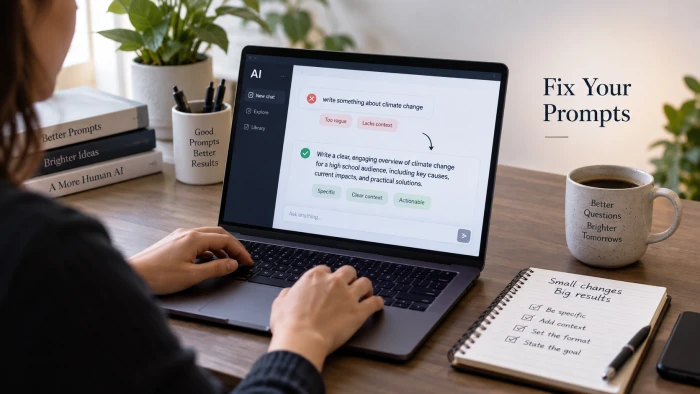
Diagnose it from the replyStart with what came back. The symptom points to the mistake.What the reply looks likeLikely mistakeFixGeneric, co...

PROMPT COLLECTION7 Cinematic AI Photo PromptsEditorial portraits built from one reference photo, styled seven ways.The seven portraits in th...
Discussion
Join the discussion and share your thoughts below.
No comments yet. Be the first to share your thoughts!